
2026 Google Maps Verification Rules: What Businesses Need to Know About Google Business Profile
In 2026, Google introduced major updates to Google Maps verification and Google Business Profile (GBP) that are already reshaping local search and local SEO. These changes are designed to eliminate spam listings, fake business locations, and lead-generation listings that have flooded Google Maps in recent years.
For legitimate businesses, the new verification rules can actually be a huge advantage. As Google removes fake competitors and unverified listings, real businesses with properly verified profiles have a better chance of ranking in the Google Local Map Pack.
At SEOJames.com, we work with businesses across industries to optimize their Google Business Profiles, manage Google Ads campaigns, and improve local search visibility. Understanding these new verification requirements is essential if you want to protect your listing, avoid suspension, and maintain strong rankings on Google Maps.
This guide breaks down everything businesses need to know about the 2026 Google Maps verification rules, how they affect local SEO, and what you can do to stay compliant.
Why Google Updated the Verification System
Google Maps is one of the most important tools for local businesses. Millions of customers search for services every day using phrases like:
- “real estate agent near me”
- “HVAC repair in Patchogue NY”
- “best dentist near me”
The businesses that appear in the top three results in the Google Map Pack receive the majority of calls, website visits, and directions.
Unfortunately, over the past several years, Google Maps has been flooded with spam listings, fake addresses, and lead generation businesses trying to manipulate rankings. Some companies created dozens or even hundreds of fake listings using:
- Virtual offices
- Mailbox addresses
- Fake business names with keywords
- Non-existent storefronts
- Multiple listings for the same business
These tactics damaged the quality of Google Maps search results and created unfair competition for legitimate businesses.
In response, Google began rolling out stricter verification processes starting in 2025 and expanding significantly in 2026.
The goal is simple:
Ensure that every business appearing on Google Maps is real, legitimate, and operating at the location listed.
What Is Google Business Profile?
Before diving deeper into the verification updates, it’s important to understand what Google Business Profile actually is.
Google Business Profile (formerly called Google My Business) is the platform that allows businesses to manage how they appear on:
- Google Maps
- Google Search
- Local search results
- Google reviews
- Business knowledge panels
Your Google Business Profile displays important information like:
- Business name
- Address
- Phone number
- Website
- Reviews
- Photos
- Business hours
- Services offered
For many businesses, this listing is the single most important digital asset for generating leads.
Major Google Maps Verification Changes in 2026
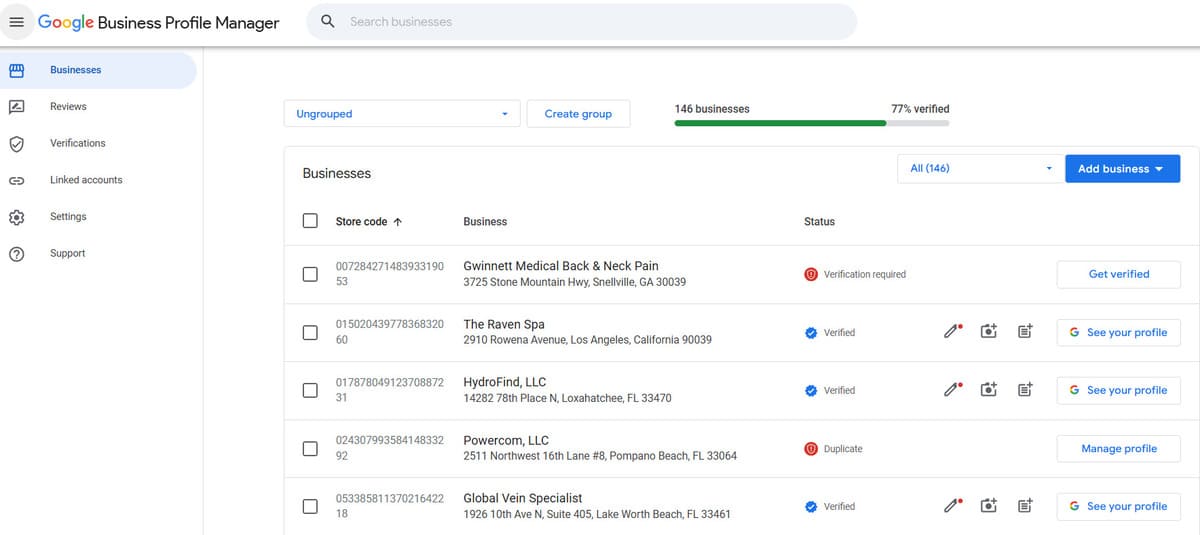
The new verification system uses a multi-step trust process. Instead of simply sending a postcard with a verification code, Google now requires stronger proof that businesses are legitimate.
The most common verification methods include:
• Video verification
• Live video calls
• Document verification
• Website verification
• Business history analysis
Depending on the industry and location, Google may require multiple verification steps before approving a listing.
Video Verification: The New Standard
One of the biggest changes in 2026 is the widespread use of video verification.
Instead of sending a postcard, Google may now ask business owners to record a short video proving their business exists.
This process typically takes 30 seconds to 2 minutes and requires showing evidence that the business is real.
Google may ask you to show:
• Exterior signage
• Street address on the building
• Inside of the office or workspace
• Business equipment
• Work materials or inventory
• Proof that you have access to the location
For example, a real estate office might show:
- Office signage
- Inside workstations
- Business paperwork
- Branding or marketing materials
Contractors or service businesses may need to show:
- Work vehicles
- Tools and equipment
- Branded materials
This video is uploaded directly through the Google Business Profile dashboard.
Live Video Verification Calls
In some cases, Google now requires a live video call verification with a representative.
This is becoming more common for industries with a high history of spam listings.
During the live call, the Google representative may ask the business owner to:
- Walk outside the building
- Show nearby street signs
- Display business signage
- Enter the business location
- Show equipment or workspaces
These calls typically last 3–5 minutes.
While it may feel unusual, this process helps Google confirm that the business location is legitimate.
Document Verification Requirements
Another new part of the verification process involves submitting official documentation.
Google may request documents such as:
- Business registration
- Business license
- Utility bills
- Insurance documents
- Tax records
- Articles of incorporation
The key requirement is that the business name and address match exactly with the information on your Google Business Profile.
If there are inconsistencies between your documents and your listing, Google may reject the verification request.
Industries Under Increased Scrutiny
Some industries are more likely to be targeted by Google’s stricter verification policies because they historically had higher levels of spam listings.
These industries include:
- Locksmiths
- HVAC companies
- Plumbers
- Electricians
- Garage door repair
- Tree services
- Contractors
- Lawyers
- Real estate lead generation companies
- Marketing agencies
Businesses in these categories are more likely to be asked for video verification and documentation.
Service Area Business Rules in 2026
Service Area Businesses (SABs) are companies that travel to customers rather than operating from a storefront.
Examples include:
- plumbers
- electricians
- HVAC companies
- cleaning services
- mobile auto repair
- landscaping companies
Google still allows these businesses to hide their address, but verification requirements have become stricter.
Google may now request proof such as:
• Branded vehicles
• Tools and equipment
• Business paperwork
• Job site photos
Using virtual offices, coworking spaces, or mailbox addresses for service area businesses can now easily lead to listing suspension.
The Rise of Google Business Profile Suspensions
Because verification rules are stricter, suspensions have increased significantly in the past year.
A suspended listing will disappear from Google Maps completely until the issue is resolved.
Common causes of suspensions include:
- Keyword stuffing in the business name
- Using a virtual office address
- Multiple listings for the same business
- Category abuse
- Address inconsistencies
- Suspicious profile edits
- Website mismatches
Recovering from a suspension requires submitting a Google Business Profile reinstatement request, which can take days or weeks.
How Verification Impacts Local SEO Rankings
Verification is now a major trust signal in Google’s local ranking algorithm.
Businesses that successfully verify their listings gain advantages such as:
- Increased trust from Google
- Better visibility in the Map Pack
- More consistent rankings
- Higher click-through rates
- Improved lead generation
Meanwhile, unverified or suspended listings often disappear from local search entirely.
As spam listings are removed, legitimate businesses are seeing better ranking opportunities than ever before.
Tips to Pass Google Maps Verification
To improve your chances of successfully verifying your business, follow these best practices.
Use a Legitimate Business Location
Google prefers real storefronts or offices where customers could visit if necessary.
Avoid using:
- virtual offices
- shared coworking addresses
- mailbox services
- UPS stores
These addresses are often flagged automatically.
Install Permanent Signage
Businesses with permanent signage are more likely to pass verification.
If possible, ensure your business name is clearly visible outside the building.
Maintain Consistent Business Information
Your NAP (Name, Address, Phone Number) should match across all platforms.
This includes:
- your website
- Google Business Profile
- business directories
- social media profiles
- business documents
Inconsistent information can delay verification.
Avoid Keyword Stuffing
Your business name should match your real business name.
For example:
Correct:
Dean Michael Real Estate
Incorrect:
Dean Michael Real Estate – Best Patchogue Realtor Homes for Sale
Google considers keyword stuffing a violation of its guidelines.
Why Professional Google Business Profile Management Matters
As Google’s verification system becomes more advanced, managing a business profile properly is becoming more complex.
Businesses that rely on local search often work with professionals who understand Google’s guidelines and ranking signals.
At SEOJames.com, we help businesses with:
- Google Business Profile setup
- Verification support
- Suspension recovery
- Google Maps SEO
- Google Ads management
- Local lead generation strategies
Our goal is to help businesses rank higher in Google Maps and generate more leads.
The Future of Google Maps and Local Search
Google will likely continue tightening verification requirements in the coming years.
Future trends may include:
- AI-based fraud detection
- deeper business history checks
- stronger identity verification
- location data validation
While these changes may seem strict, they ultimately create a better ecosystem for legitimate businesses.
By removing fake listings and spam competitors, Google is creating a more trustworthy platform for local search.
Final Thoughts
The 2026 Google Maps verification updates represent one of the biggest changes to local SEO in recent years.
Businesses that adapt to these changes and maintain accurate, verified listings will have a significant advantage in local search rankings.
If your business relies on Google Maps visibility, local SEO, or Google Ads, it’s important to stay ahead of these updates and follow Google’s guidelines carefully.
For businesses that want expert help navigating Google’s evolving rules, working with a professional can make the process much easier.
To learn more about Google Maps optimization and local SEO strategies, visit SEOJames.com.